A business should not depend on its owner remembering which lead needs a response, which proposal is waiting for approval, or which salesperson forgot to follow up.
Yet many owner-led businesses operate exactly this way.
They may have a CRM, experienced salespeople, and established procedures. Still, opportunities sit untouched, customer inquiries require manual attention, and managers spend their time reminding employees to complete routine tasks.
The problem is not always a lack of technology.
More often, the sales process lacks clear rules, defined ownership, and a consistent way to identify unfinished work.
Sales process automation helps address these gaps by allowing predictable activities to move forward without repeated manual reminders. When implemented correctly, it supports the sales team while keeping important decisions and customer relationships under human control.
Quick Answer
Sales process automation should handle routine, repeatable actions that follow clear business rules.
These include capturing and assigning leads, acknowledging customer inquiries, creating follow-up tasks, sending appropriate appointment reminders, identifying stalled opportunities, updating pipeline records, and notifying the right person when an action becomes overdue.
However, automation should not replace human judgment in pricing decisions, complex negotiations, customer concerns, or important relationship conversations.
The most effective approach connects automation, clear ownership, reliable data, and weekly management accountability.
The goal is not to eliminate salespeople from the process. It is to remove unnecessary administrative work so they can focus on selling, serving customers, and making decisions.
In This Guide
- Why manual reminders create problems for growing sales teams
- Seven sales activities that can run automatically
- Which decisions should remain with salespeople and managers
- How CRM workflows, pipeline management, and accountability connect
- Common sales automation mistakes and how to prevent them
- A practical framework for implementing automation
- Which sales metrics owners should review every week
Why Manual Reminders Become a Sales Management Problem
In a small business, informal communication may be enough to keep sales moving.
The owner knows which opportunities are important, who is speaking with each customer, and what needs attention.
As the business grows, this arrangement becomes harder to maintain.
More leads enter the pipeline. Salespeople handle multiple conversations. Customer requests arrive through websites, phone calls, email, and referral channels.
Without a defined process, employees rely on memory, personal notes, and reminders from managers.
A salesperson may intend to follow up with a prospect but become occupied with another customer. A proposal may remain unanswered because the next action was never assigned.
The owner eventually becomes the person asking whether everything has been completed.
This creates three operating problems.
1. Follow-Up Depends on Individual Memory
When follow-up activities are not tied to a structured process, consistency depends on how carefully each salesperson manages their own workload.
Some employees maintain detailed records. Others use spreadsheets, calendars, or informal messages.
The company then lacks one dependable standard for handling opportunities.
2. Managers Spend Time Chasing Routine Actions
A sales manager should be reviewing performance, supporting employees, and addressing important obstacles.
Instead, managers may spend much of their time asking whether someone contacted a lead, updated a proposal, or confirmed an appointment.
These reminders do not necessarily improve the underlying process.
They keep an informal process moving through repeated intervention.
3. The Owner Cannot Easily See What Is Happening
A CRM containing hundreds of records does not automatically provide useful management visibility.
The owner still needs to know which opportunities are active, which require attention, and whether the right person is responsible for each next step.
Automation becomes valuable when it creates a reliable process for recording activity, assigning responsibility, and identifying exceptions.
Seven Sales Processes That Should Not Require Manual Reminders
Not every sales activity should be automated.
The best candidates are activities with a clear trigger, predictable next step, defined owner, and limited need for human judgment.
1. New Lead Capture and Assignment
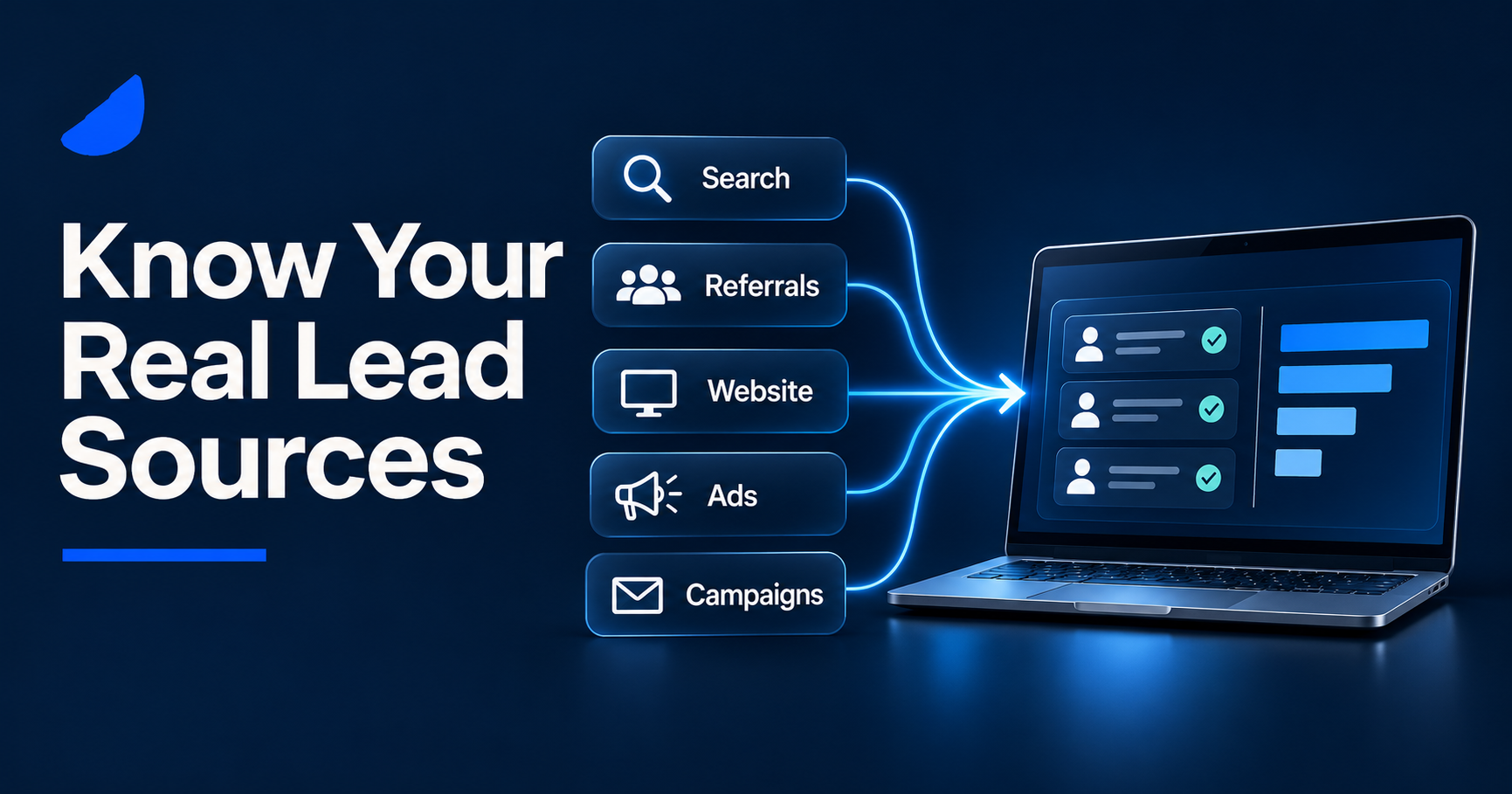
When a potential customer submits a website inquiry, requests information, or contacts the business through a supported intake channel, that information should enter an organized sales process.
A manager should not need to remember to transfer every inquiry to the right salesperson.
A defined automation can create or update a lead record, capture its source, and assign responsibility according to established rules.
Assignment may depend on location, product category, department, availability, or another relevant business condition.
For example, a home-services business may direct inquiries to different teams depending on service area.
The important management question is not simply whether a lead entered the CRM.
It is whether someone is responsible for the next action.
What should happen automatically: Lead recording, appropriate routing, ownership assignment, and an alert when no valid owner can be assigned.
What remains human: Determining how to handle unusual requests, conflicting information, or opportunities that need special attention.
2. Initial Inquiry Acknowledgment
Customers should not have to wonder whether their inquiry reached the business.
For suitable inbound inquiries, an automated acknowledgment can confirm receipt and explain what happens next.
It might provide general information about expected contact procedures or confirm that a request has been recorded.
This communication should be accurate and should not imply that a person has reviewed the inquiry when they have not.
An acknowledgment also should not be mistaken for a completed sales response.
The assigned employee may still need to answer questions, understand the customer’s requirements, and determine whether the business can help.
What should happen automatically: Appropriate confirmation that an inquiry was received.
What remains human: Understanding the customer’s situation and conducting a meaningful sales conversation.
3. Follow-Up Task Creation and Scheduling
A common source of missed opportunities is the absence of a clearly defined next step.
A salesperson may send a proposal and intend to contact the prospect later.
If that follow-up depends entirely on memory, it can be overlooked.
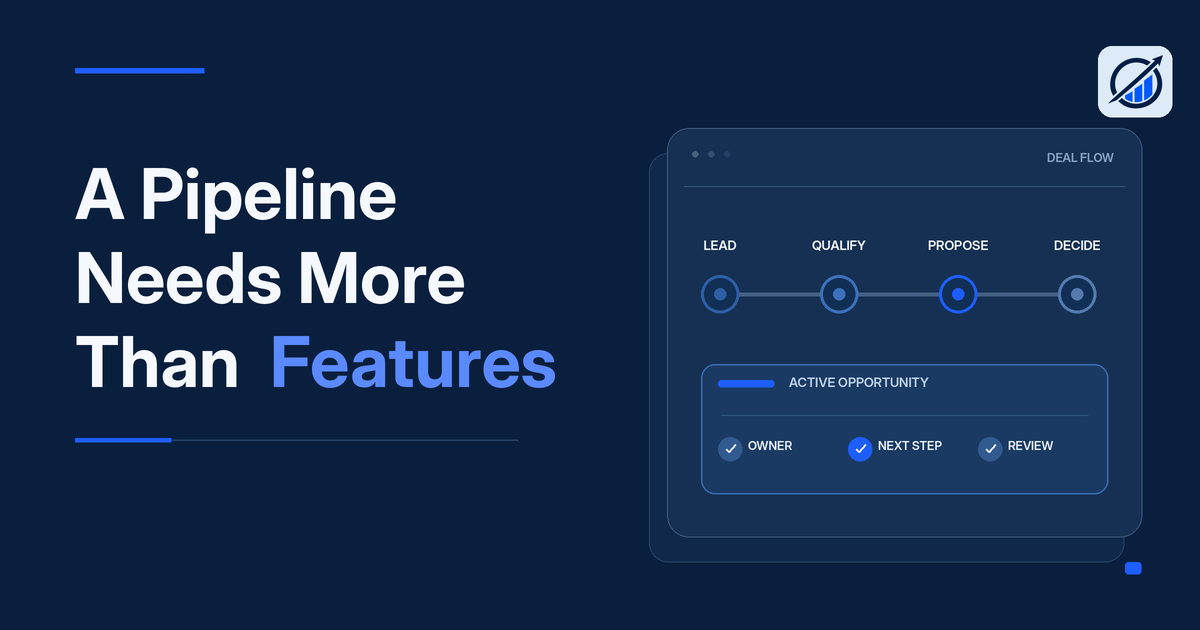
Sales process automation can create the next task when a proposal is sent or when an opportunity enters a particular pipeline stage.
The task should identify the responsible salesperson and the agreed follow-up date.
Where appropriate, a compliant, approved communication sequence may also support routine follow-up.
However, the system must know when to stop.
A customer reply, completed appointment, declined offer, closed opportunity, or opt-out request may change whether further automated messages are appropriate.
What should happen automatically: Task creation, due-date tracking, and defined notifications for overdue activity.
What remains human: Personalizing important conversations, responding to objections, and deciding how to approach a specific opportunity.
4. Appointment Confirmations and Reminders
Sales appointments often involve several administrative steps.
The business needs to confirm the meeting, notify the assigned salesperson, prepare relevant information, and communicate any changes.
These activities can often be managed through standardized workflows.
For example, a confirmed appointment may create a calendar event, update the CRM, and trigger an appropriate confirmation message.
Changes and cancellations should also update the relevant records when the connected systems support that behavior.
The objective is to keep the salesperson and customer working from the same appointment information.
What should happen automatically: Confirmed meeting records, permitted reminders, and relevant internal notifications.
What remains human: Meeting preparation, conducting the conversation, and handling important changes or customer requests.
5. Stalled Opportunity Alerts
A pipeline becomes difficult to manage when opportunities remain in the same stage without a documented next action.
Some prospects need additional consideration time. Others have stopped responding. Some opportunities may be waiting for internal approvals.
An automation can identify records that exceed a defined period without the expected activity or stage movement.
The system may notify the assigned salesperson or place the record on a manager’s review list.
But an alert does not automatically reveal why the opportunity is stalled.
A sales manager still needs to distinguish genuine sales obstacles from inaccurate records or opportunities that should be closed.
What should happen automatically: Detection of defined inactivity, missing next steps, and overdue commitments.
What remains human: Understanding the reason for the delay and deciding the appropriate response.
6. Sales-to-Operations Handoffs
Closing a sale is not the end of the business process.
Once the company accepts a customer commitment, the information must reach the team responsible for delivering the work.
This handoff may require approved scope, delivery dates, customer requirements, pricing details, and other operational information.
A structured workflow can help ensure that relevant information is transferred and that the receiving team knows what requires attention.
However, a closed-won pipeline status should not automatically be treated as proof that every delivery requirement has been satisfied.
The business may need a verification step before operations accepts the work.
What should happen automatically: Defined handoff notifications, creation of appropriate work records, and identification of missing required information.
What remains human: Confirming delivery readiness, managing exceptions, and approving commitments outside normal operating rules.
7. Sales Reporting and Performance Exceptions
Owners and managers should not have to request the same basic performance information repeatedly.
A well-maintained sales system can support recurring reports showing pipeline activity, new opportunities, overdue follow-ups, and stage movement.
It can also flag exceptions that deserve management attention.
For example, a weekly scorecard might show that the number of opportunities without assigned next steps has increased.
The report creates visibility.
Leadership must still determine whether the issue reflects workload, process design, employee performance, or inaccurate data.
What should happen automatically: Collection and presentation of defined performance measures, subject to data quality checks.
What remains human: Interpreting results, deciding priorities, and holding responsible leaders accountable.
What Should Be Automated and What Should Stay Human?
Sales automation works best when the business clearly separates predictable administrative actions from decisions requiring judgment.
| Sales activity | Appropriate automation | Human responsibility |
| New inquiry | Capture record and assign owner | Understand customer needs |
| Lead acknowledgment | Confirm receipt where appropriate | Provide meaningful response |
| Proposal follow-up | Create task and track due date | Address objections and negotiate |
| Appointment | Record confirmation and permitted reminders | Conduct the conversation |
| Stalled opportunity | Flag missing activity or next steps | Diagnose the obstacle |
| Closed sale | Initiate defined operational handoff | Verify unusual commitments |
| Performance review | Prepare reports and identify exceptions | Make decisions and assign corrective action |
The distinction is important.
Automation should handle what can be defined consistently.
People should retain responsibility for decisions that require experience, context, judgment, and customer understanding.
How Sales Process Automation Works Across the Pipeline
Sales automation should follow the actual steps through which the business moves an opportunity.
Consider an illustrative service business.
A customer submits an inquiry through the website. The system records the request and assigns the appropriate salesperson.
The salesperson contacts the customer, qualifies the opportunity, and prepares a proposal.
When the proposal is sent, the system creates a follow-up task.
If the customer accepts, the salesperson confirms the agreement and the opportunity moves into the appropriate handoff process.
Operations receives the required information and verifies that the work is ready to schedule.
The CRM then supports reporting on the opportunity’s progress.
The Basic Automated Workflow
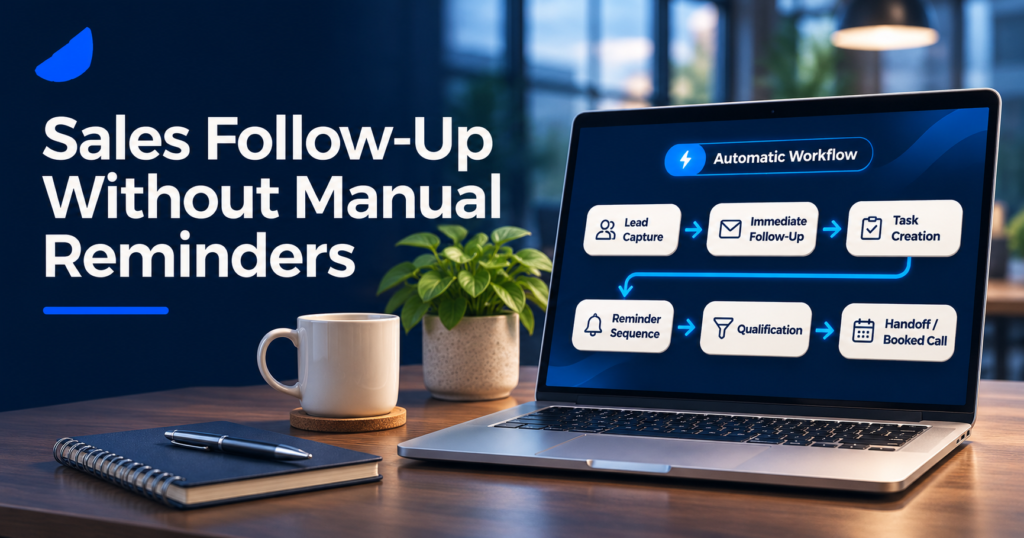
Inquiry received → Lead recorded → Owner assigned → Initial response → Qualification → Proposal → Follow-up tracking → Decision → Operational handoff
Each transition should have a defined condition.
The business should also establish what happens when the expected condition is not met.
For example, an inquiry with incomplete contact information may require manual review rather than immediate automated outreach.
A proposal that receives a customer reply should not continue an outdated communication sequence.
And a closed opportunity should not continue generating ordinary sales follow-up tasks.
These rules prevent automation from creating confusion or unnecessary customer messages.
Why Stop Conditions Matter
Many automation problems occur because the system knows when to begin a workflow but not when to stop it.
An effective workflow should consider changes in opportunity status, customer communication, assigned ownership, and contact preferences.
The correct next step may be to continue, pause, escalate, or end the workflow entirely.
This is one reason process design should come before technical configuration.
Why CRM Automation Does Not Automatically Fix Sales Performance
A CRM can support lead assignment, task creation, notifications, and workflow actions.
For example, Salesforce documents lead assignment rules that route records to appropriate users or queues. HubSpot documents trigger-based workflows that can enroll records when defined events occur.
These capabilities can support a sales process, but their availability and configuration depend on the platform and account setup.
The software does not independently determine whether the company’s management process makes sense.
Several problems can remain even after automation is introduced.
Unclear Pipeline Stages
If salespeople use different definitions of a qualified lead or completed proposal, automated stage changes may produce misleading reports.
The business first needs consistent definitions.
Inaccurate or Duplicate Records
Automation can create additional confusion when customer records are incomplete or duplicated.
A system may assign multiple employees to the same opportunity or trigger inappropriate follow-up.
Data quality and duplicate-handling rules should be part of the design.
Too Many Notifications
A workflow that sends alerts for every minor activity can overwhelm employees.
When notifications become constant, important exceptions are harder to recognize.
Alerts should have a clear purpose and a defined recipient.
No Accountable Owner
Automatically creating a task does not ensure that anyone accepts responsibility for completing it.
Every important activity needs an owner, a deadline, and a way to identify unresolved work.
No Management Review
If nobody reviews overdue tasks, stalled opportunities, or workflow failures, automation may simply record problems more efficiently.
A management routine must connect the information to decisions and follow-through.
A Practical Framework for Implementing Sales Process Automation
The best starting point is not a long list of software features.
It is understanding which sales activities are repetitive, which handoffs are unreliable, and where employees need unnecessary reminders.
Step 1: Map the Existing Sales Process
Trace an opportunity from initial inquiry through qualification, proposal, decision, and operational handoff.
Document who performs each activity, where information is recorded, and what triggers the next step.
Include exceptions and informal workarounds.
The objective is to understand what actually happens, not just what the company’s written procedure says should happen.
Step 2: Identify Repetitive Manual Tasks
Look for activities that follow predictable rules.
Examples include creating a task after a proposal is sent, notifying an employee about an assigned lead, or flagging an overdue next step.
Prioritize processes that repeatedly require management intervention or create avoidable delays.
Step 3: Establish Clear Ownership
Before building automation, define who owns each stage and what completion means.
A workflow should not move responsibility from one person to another without an agreed handoff.
The business also needs an escalation path when the assigned employee is unavailable or the request falls outside normal rules.
Step 4: Define Triggers, Actions, and Stop Conditions
Every automation should answer five questions:
- What event starts the workflow?
- What action should occur?
- Who is responsible for the result?
- What exception requires human attention?
- When should the workflow stop?
This simple structure makes the process easier to test and maintain.
Step 5: Test Before Expanding
Test workflows with representative situations, including incomplete information, duplicate records, customer replies, changed appointments, and closed opportunities.
Confirm that tasks go to the intended employees and that automated messages do not continue after a workflow should end.
Document the expected behavior and train the team before broader use.
Step 6: Review the Results Weekly
Once the process is operating, managers should review whether the automation is supporting the intended outcomes.
The review should identify failed workflows, unresolved tasks, unexpected notifications, and areas where employees still rely on informal reminders.
Use the findings to improve one process at a time.
Sales Automation Requires Communication and Data Safeguards
Automated communication must follow the rules that apply to the business, channel, and recipient.
For commercial email in the United States, the Federal Trade Commission’s CAN-SPAM guidance addresses accurate sender information, truthful subject lines, identification requirements, unsubscribe mechanisms, and honoring opt-out requests.
Text-message outreach may involve separate consent and communication requirements.
Businesses should verify the applicable rules before activating automated campaigns.
Operational safeguards also matter.
Customer information should be available only to authorized users. Workflow failures should be visible. Important records should not be overwritten without suitable controls.
The system should avoid sending duplicate or inappropriate messages and should respect relevant communication preferences.
Automation is useful only when it remains reliable and manageable.
Which Sales Automation Metrics Should Owners Review Weekly?
The goal of sales automation is not to create the largest possible number of completed tasks.
It is to make the sales process more dependable and visible.
A practical weekly scorecard can help identify whether that is happening.
| Metric | What it helps reveal |
| Unassigned leads | Whether new inquiries receive clear ownership |
| Lead response time | How promptly initial inquiries receive a meaningful response |
| Overdue follow-up tasks | Whether assigned commitments remain incomplete |
| Opportunities without a next step | Whether pipeline records are being actively managed |
| Stalled opportunities | Where progress requires attention |
| Stage conversion rate | How opportunities progress through the sales process |
The business does not need to review every available CRM metric at the owner level.
Three to five well-defined measures may be a more useful starting point.
Each metric should have a consistent definition, reliable data source, responsible leader, and target or review standard.
What Should Happen When a Number Is Off Track?
Suppose the weekly scorecard shows an increase in overdue follow-up tasks.
The sales manager should investigate whether the problem involves unrealistic workloads, poor task definitions, unclear ownership, or inconsistent employee follow-through.
The leadership team can then agree on corrective action.
That action should have a named owner and a deadline.
The next management meeting should confirm whether it was completed and whether the problem remains.
This is the difference between collecting sales data and managing sales performance.
Singular Command Operator’s Field Note: Automation Does Not Replace Management
Singular Command is led by Dan DeLeon, who spent 20 years in the automotive business, including 10 years as a General Manager.
His operating experience includes leading teams in a numbers-driven environment, reviewing performance, and rebuilding an organization’s operating system through dashboards, scorecards, and a consistent management rhythm.
A central lesson behind Singular Command’s approach is that software alone cannot correct unclear responsibilities.
A CRM can record that a follow-up is overdue.
It cannot, by itself, determine why the salesperson missed the commitment or what the manager should do about recurring performance problems.
Likewise, an automated report can show pipeline movement, but leadership must still decide which issues require action.
The practical approach is to connect automated workflows to trusted information, clear ownership, and regular management reviews.
The owner should be able to see important exceptions without becoming responsible for personally chasing every task.
How Singular Command Approaches Sales Process Automation
Singular Command helps owner-led businesses build practical management systems that connect operating visibility, workflows, and accountability.
Rather than starting with a specific software product, the approach begins with the operating problems the business needs to resolve.
Command Assessment: Identify the Sales Process Gaps
The paid Command Assessment reviews sales, operations, money, and people.
It examines how opportunities move through the business, where responsibilities become unclear, and whether performance information supports useful management decisions.
The engagement produces written findings, a prioritized roadmap, and recommendations about which improvements may fit.
Not every problem requires automation.
Some businesses may first need clearer pipeline definitions, better lead ownership, or a more consistent management process.
Command OS and Command Build: Connect the Sales Workflow
Command OS is Singular Command’s modular business operating-system framework, implemented through Command Build.
Relevant components may include:
- Sales Command: Lead flow, follow-up processes, conversion, and sales performance.
- Pipeline Command: Opportunity stages, handoffs, ownership, and stalled opportunities.
- Growth Command: Connections between marketing activity and measurable business outcomes.
- Operations Command: Workflow continuity when sales commitments move into delivery.
- Executive Dashboard and Weekly Scorecard: Owner-level visibility into selected performance indicators.
Practical integrations, workflow mapping, documentation, and team training can form part of an agreed implementation.
The goal is to make existing tools and processes work together where appropriate, not require every business to replace its technology.
Command Rhythm: Turn Sales Data Into Decisions
Command Rhythm establishes a structured weekly leadership process.
It connects scorecard reviews, priority issues, management decisions, action ownership, and follow-through.
When the sales process shows missed commitments or recurring exceptions, the leadership team has a consistent way to address them.
Command Seat: Strengthen Existing Leader Accountability
Command Seat focuses on leader-level accountability through individual scorecards, weekly one-on-ones, commitments, and a written weekly Command Report for the owner.
The client’s leaders remain employed by the business.
The owner continues to direct the company and retains authority over hiring, compensation, and termination decisions.
These services are modular. A company may need improvements to its sales workflow without requiring every component of the framework.
Frequently Asked Questions
What is sales process automation?
Sales process automation uses predefined rules and suitable technology to handle repeatable sales activities such as lead assignment, task creation, follow-up tracking, appointment notifications, and pipeline updates. Its purpose is to support a consistent sales process while keeping important customer decisions with people.
Can sales follow-ups be automated?
Yes. Appropriate follow-up tasks, reminders, and permitted communications can be automated when the triggering conditions are clear. The workflow should also recognize customer replies, completed actions, opt-outs, and other events that require it to pause or stop.
Does a small business need a CRM for sales automation?
Not every small business needs a complex CRM. The appropriate tools depend on sales volume, process complexity, and reporting needs. However, the business does need reliable records, defined responsibilities, and a consistent way to track opportunities.
What sales activities should not be automated?
Complex negotiations, unusual pricing decisions, sensitive customer concerns, and important relationship conversations generally require human judgment. Automation may prepare information or create tasks, but it should not independently make decisions outside established authority.
Why do sales automation systems fail?
Common causes include unclear processes, poor data quality, duplicate records, excessive notifications, missing stop conditions, and weak management accountability. Automation works best when responsibilities and operating rules are established before workflows are configured.
How do you measure the success of sales automation?
Review measures relevant to the original problem, such as response time, overdue follow-ups, unassigned leads, pipeline accuracy, or stalled opportunities. Compare performance using consistent definitions and examine whether improvements support the complete sales process.
Conclusion: Automate the Routine, Keep People Accountable
Sales process automation should make everyday sales activities more consistent without removing the judgment that customers and business decisions require.
New inquiries should reach the right person. Follow-up commitments should be recorded. Stalled opportunities should become visible. Relevant information should move into operations when a sale is ready for delivery.
None of these activities should depend entirely on the owner’s memory or repeated manual reminders.
However, the technology is only one part of the solution.
A reliable sales operating process also needs clear responsibilities, accurate records, defined exceptions, and a weekly management routine that turns information into action.
Start by identifying which routine activities employees repeatedly forget or managers constantly chase.
Then establish the rules, assign ownership, and automate only the steps that can be handled reliably.
The objective is a sales process the business can manage consistently, even when the owner is not personally checking every opportunity.
Get the Owner’s Weekly Scorecard
Singular Command’s Owner’s Weekly Scorecard is a practical starting point for choosing important weekly performance measures and connecting them to clear management decisions. Use it to identify where your sales process needs stronger visibility and follow-through.
Run your business. Own the results.
Sources and Further Reading
- HubSpot Knowledge Base: Create Workflows — Workflow triggers, enrollment rules, and automation configuration.
- Salesforce Help: Guidelines for Assignment Rules — Lead routing and assignment processes.
- Salesforce Help: Manage Duplicate Records — Duplicate-record handling and data quality.
- Federal Trade Commission: CAN-SPAM Act Compliance Guide — Requirements for commercial email and opt-out handling.
Recommended Article Visuals
Visual 1: Automated Sales Process Flowchart
A flowchart showing lead capture, assignment, qualification, proposal, follow-up tracking, and the operational handoff. Highlight the points where human approval or intervention is required.
Visual 2: Manual vs. Automated Sales Follow-Up
A side-by-side comparison of a sales process dependent on individual reminders and one supported by assigned tasks, defined triggers, and monitored exceptions.
Visual 3: Weekly Sales Management Scorecard
An illustrative scorecard showing unassigned leads, overdue follow-ups, stalled opportunities, and pipeline movement, with accountable owners for each measure.
Visual 4: Command OS Sales Architecture
A simplified diagram connecting Sales Command, Pipeline Command, Operations Command, the Executive Dashboard, and the weekly management rhythm.
The software examples and email compliance guidance were checked against HubSpot, Salesforce, and FTC documentation.
knowledge.hubspot.com+3
The Singular Command internal page links remain unverified, so they should be checked before publishing.